- Thu 03 September 2026
- 10 min read
- Linux
- #citrix, #citrix workspace, #ica, #podman, #containers, #fedora, #linux, #rootless, #x11
There is a class of software I need for work but do not particularly want to adopt. Citrix Workspace belongs firmly in that class.
The Linux client itself works. The less appealing part is everything around it: a large proprietary package, supporting libraries, certificate-store modifications, optional USB components, configuration below my home directory, and another application whose lifecycle becomes entangled with the workstation. I need it to open an .ica file. I do not need it to become part of Fedora.
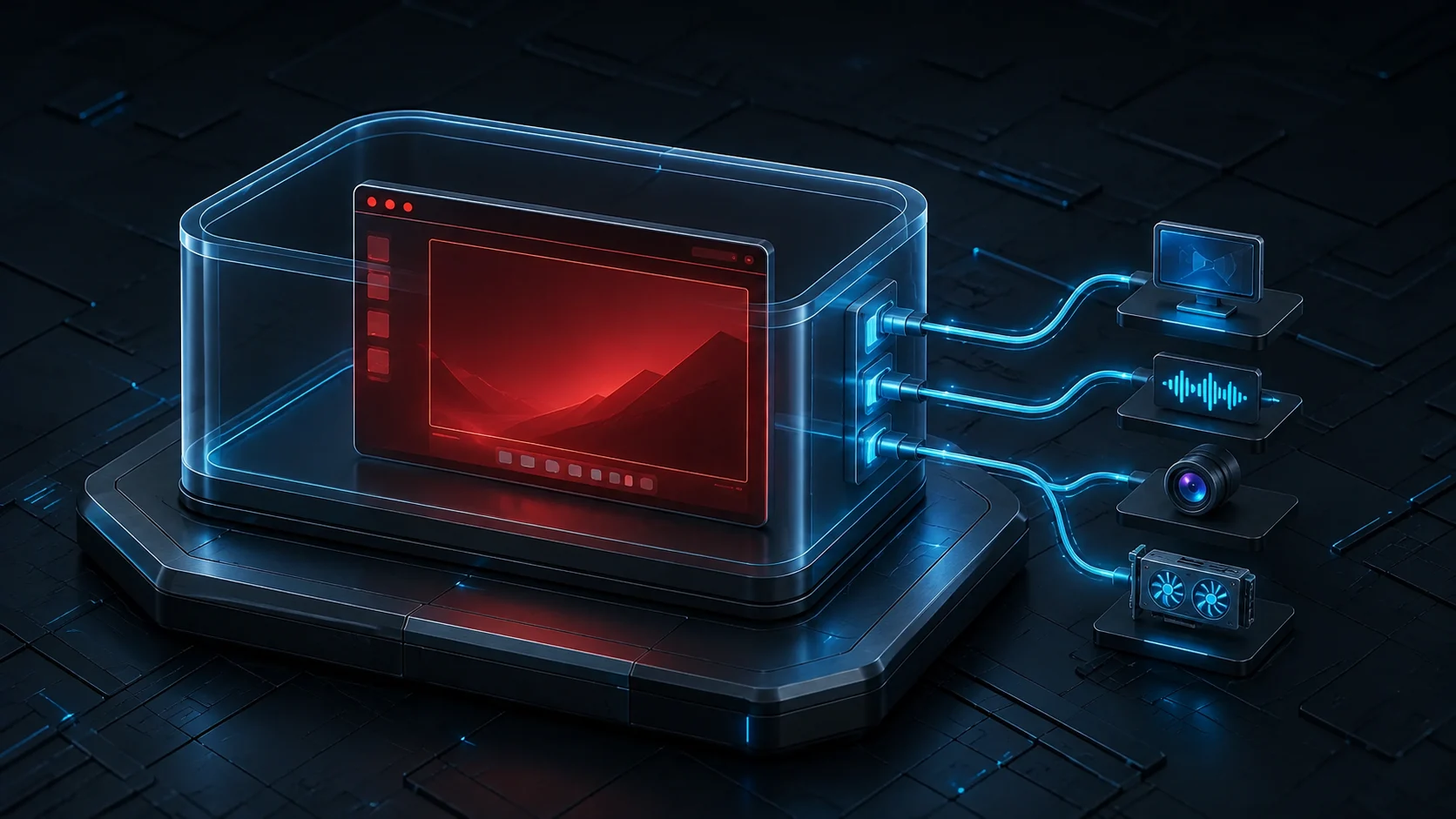
So I put the whole thing in an Ubuntu 24.04 image and launch each session as a disposable rootless Podman container. Fedora 44 keeps only Podman, a short wrapper script, and a desktop entry. The Citrix binaries and their Debian dependencies stay in container storage, where deleting them later has a satisfying, unambiguous meaning.
The result has been pleasantly boring. Audio works through the host’s PipeWire PulseAudio socket, hardware rendering uses /dev/dri, webcams are discovered dynamically, clipboard text crosses the session, and double-clicking a downloaded ICA file starts the connection like any native file association.
Table of Contents
The Boundary I Actually Want
This is primarily a packaging boundary, not a high-security sandbox.
That distinction matters. The container runs rootless and receives no home-directory mount, which is already a much cleaner arrangement than installing the client directly. It is also removed after every session. But a desktop client cannot do useful desktop-client things without access to the desktop. This one receives the X11 socket, the audio socket, host networking and IPC, plus GPU and video devices. I also disable SELinux label separation for the container because those host resources carry labels that are not intended for container access.
In other words: the proprietary filesystem clutter is well contained. The running process is deliberately integrated with the local session and should not be mistaken for hostile-code isolation. If I did not trust the binary at all, I would run it in a VM.
For the actual goal, keeping Fedora’s RPM database, /opt, /etc, and my home directory free of Citrix state, the container is exactly the right size of solution.
Downloading the Package
Citrix provides the Linux packages on its Workspace app download page. At the time of writing, the downloads do not require an account, although accepting the licence terms is still part of the download flow.
I download the x86-64 Debian Full Package (Self-Service Support) into an otherwise empty build directory:
citrix-workspace-container/
├── Containerfile
└── icaclient_<version>_amd64.deb
I verify the published SHA-256 sum before building. This is a proprietary package subject to Citrix’s licence, so the result is a local image, not something I publish to a registry.
Citrix also offers a separate ctxusb package for generic USB redirection. I deliberately leave it out. Citrix’s USB documentation describes its own device-policy layer; exposing /dev/bus/usb alone does not reproduce that setup. The optimised webcam path used below does not require generic USB redirection.
The Container Image
The Containerfile is deliberately uninteresting:
FROM ubuntu:24.04

ENV DEBIAN_FRONTEND=noninteractive

RUN apt-get update && apt-get install -y --no-install-recommends \
    ca-certificates \
    curl \
    gstreamer1.0-libav \
    gstreamer1.0-plugins-bad \
    gstreamer1.0-plugins-base \
    gstreamer1.0-plugins-good \
    gstreamer1.0-plugins-ugly \
    gstreamer1.0-vaapi \
    libasound2t64 \
    libgtk-3-0t64 \
    libpulse0 \
    libv4l-0t64 \
    libx11-6 \
    libxss1 \
    v4l-utils \
    xclip \
    xdg-utils \
    xsel \
    && rm -rf /var/lib/apt/lists/*

COPY icaclient-*.deb /tmp/

RUN apt-get update && \
    apt-get install -y --no-install-recommends /tmp/*.deb && \
    rm -f /tmp/*.deb && \
    rm -rf /var/lib/apt/lists/*

RUN rm -rf /opt/Citrix/ICAClient/keystore/cacerts && \
    ln -s /etc/ssl/certs /opt/Citrix/ICAClient/keystore/cacerts

CMD ["/opt/Citrix/ICAClient/selfservice"]
Ubuntu is not a philosophical statement here. Citrix ships a Debian package, Ubuntu 24.04 is among the distributions it supports, and using the package on its expected userspace is less exciting than trying to unpack it into Fedora. Less exciting is exactly what I want from remote-desktop infrastructure.
The GStreamer packages are for HDX webcam redirection. Citrix lists the base, good, bad, ugly, and libav plug-ins for that path, while its webcam documentation also calls out VA-API for H.264 acceleration. I name them explicitly because --no-install-recommends should not quietly turn a documented feature into an accidental property of the dependency graph.
The last build step replaces Citrix’s private CA directory with Ubuntu’s maintained certificate store. That avoids the familiar situation where an otherwise valid corporate or public certificate works in every application except the ICA client. The certificates are still those from the image, so rebuilding the image is how they receive updates.
From the build directory:
podman build -t localhost/citrix-workspace .
The image contains the client and all of its userspace dependencies. Nothing has been installed into Fedora.
A Launcher for One ICA File
I use the client at the lower level rather than configuring a persistent store in selfservice: a browser downloads an ICA file, and wfica opens precisely that file. The wrapper lives at ~/.local/bin/citrix-open:
#!/usr/bin/env bash
set -euo pipefail

if (( $# != 1 )); then
    printf 'Usage: %s FILE.ica\n' "${0##*/}" >&2
    exit 2
fi

ICA_FILE=$(realpath -- "$1")
if [[ ! -f $ICA_FILE ]]; then
    printf 'ICA file not found: %s\n' "$ICA_FILE" >&2
    exit 1
fi

HOST_USER=$(id -un)
RUNTIME_DIR=${XDG_RUNTIME_DIR:-/run/user/$(id -u)}
PULSE_SOCKET=$RUNTIME_DIR/pulse/native

if [[ -z ${DISPLAY:-} ]]; then
    printf 'DISPLAY is not set; launch this from an X11 or XWayland session\n' >&2
    exit 1
fi

if [[ ! -S $PULSE_SOCKET ]]; then
    printf 'PulseAudio socket not found: %s\n' "$PULSE_SOCKET" >&2
    exit 1
fi

# The rootless container process is this local user from X11's perspective.
xhost "+si:localuser:$HOST_USER" >/dev/null
cleanup() {
    xhost "-si:localuser:$HOST_USER" >/dev/null 2>&1 || true
}
trap cleanup EXIT

# Keep every device argument separate and correctly quoted.
DEVICE_ARGS=(--group-add keep-groups)
shopt -s nullglob
for dev in /dev/dri/card* /dev/dri/renderD* /dev/video*; do
    DEVICE_ARGS+=(--device "$dev:$dev")
done
shopt -u nullglob

podman run --rm \
    --net=host \
    --ipc=host \
    --security-opt label=disable \
    "${DEVICE_ARGS[@]}" \
    -e DISPLAY="$DISPLAY" \
    -e QT_X11_NO_MITSHM=1 \
    -v /tmp/.X11-unix:/tmp/.X11-unix:ro \
    -v "$PULSE_SOCKET:$PULSE_SOCKET:ro" \
    -e PULSE_SERVER="unix:$PULSE_SOCKET" \
    -v "$ICA_FILE:/tmp/session.ica:ro" \
    localhost/citrix-workspace \
    /bin/bash -c '
        mkdir -p /root/.ICAClient

        # These defaults prevent wfica from starting with an incomplete
        # per-user configuration in a fresh --rm container.
        cp -n /opt/Citrix/ICAClient/config/All_Regions.ini /root/.ICAClient/
        cp -n /opt/Citrix/ICAClient/config/canonicalization.ini /root/.ICAClient/

        # Keep clipboard integration enabled but restrict this setup to text.
        cat > /root/.ICAClient/wfclient.ini << "EOF"
[WFClient]
Version=2
ClientClipboard=On
HashtagClipboard=On

[Virtual Channels\Clipboard]
VirtualChannelAllowed=true
ClientClipboard=true
MaxFileSize=0
EOF

        exec /opt/Citrix/ICAClient/wfica /tmp/session.ica
    '
Then make it executable:
chmod 0755 ~/.local/bin/citrix-open
There are a few details hiding in the long podman run:
--rmmeans the writable container layer disappears when the session ends. The client configuration is recreated on every launch.- The ICA file is the only ordinary host file mounted into the container. It is read-only and always appears as
/tmp/session.ica, so unusual characters in the downloaded filename never enter the inner shell command. - Citrix’s Linux client is fundamentally an ICA-to-X11 application. On my Wayland desktop it runs through XWayland, hence the X11 socket and
DISPLAYrather than a Wayland socket. - Modern Fedora provides PulseAudio compatibility through PipeWire. Passing the per-user Pulse socket is sufficient for session audio; no sound server needs to run in the container.
/dev/driprovides hardware graphics acceleration. Any/dev/video*nodes present at launch are added for webcam redirection.--group-add keep-groupsis important in a rootless container. It retains the host user’s supplementary group access to devices; adding a group merely namedvideoinside an Ubuntu image does not guarantee that its numeric GID matches Fedora’s. This is the mechanism recommended by the Podman run documentation for group-owned host devices. It requires Podman’scrunOCI runtime, which is Fedora’s default.- The two files copied from
/opt/Citrix/ICAClient/configavoid theConfigurationManagererror I otherwise get from an entirely fresh~/.ICAClient. - My Citrix environment rejects file transfer. Setting
MaxFileSize=0while leaving clipboard support enabled gives me reliable plain-text copy and paste without the client attempting file-copy behaviour.
I intentionally do not use -it. This script is launched by a graphical file manager, not a terminal, and asking Podman to allocate an interactive TTY there is at best unnecessary and at worst an immediate failure.
Webcam redirection through /dev/video* is the only device redirection I rely on. If it is not required, remove /dev/video* from the loop to give the client a meaningfully smaller view of the host. The same applies to the /dev/dri patterns when software rendering is acceptable.
Making ICA Files Behave Like Normal Files
The last part is desktop integration. I create ~/.local/share/applications/citrix-open.desktop:
[Desktop Entry]
Name=Citrix Workspace (Podman)
Comment=Launch Citrix ICA sessions in Podman
Exec=citrix-open %f
TryExec=citrix-open
Terminal=false
Type=Application
MimeType=application/x-ica;
Icon=application-x-ica
This assumes ~/.local/bin is in the desktop session’s PATH, as it is on my Fedora installation. If it is not, Exec must contain the literal absolute path, for example Exec=/home/alice/.local/bin/citrix-open %f. Tilde and shell-variable expansion do not happen in desktop entries.
It is tempting to write /home/%U/.local/bin/citrix-open, but %U is not a username placeholder. In the freedesktop.org desktop-entry specification, it means a list of URLs. %f is the correct field code for one local file.
I register the launcher as the default handler:
update-desktop-database ~/.local/share/applications
xdg-mime default citrix-open.desktop application/x-ica
The association can be checked without launching a session:
xdg-mime query default application/x-ica
The expected answer is citrix-open.desktop. From then on, downloading an ICA file and opening it causes the desktop to call the wrapper, Podman creates the container, and wfica connects to the remote session. When the window closes, the container goes with it.
What Remains on the Host
The final host footprint is wonderfully small:
- the
citrix-workspaceimage in rootless container storage ~/.local/bin/citrix-open~/.local/share/applications/citrix-open.desktop- Podman itself, which was already there
There is no Citrix RPM, no vendor repository, no service enabled as root, and no archaeological dig through /opt when I stop needing the client. Updating is equally explicit: download the new Debian package, verify it, rebuild the image, and replace the old image once I have tested a session.
This is the part of containers on the desktop I find most useful. It is not about pretending every graphical application is a cloud-native microservice. It is about ownership. All Citrix-shaped state belongs to one image and two tiny integration files. Fedora remains Fedora, and the proprietary thing I occasionally need stays a thing I can remove in one piece.
Comments
You can use your Mastodon or other ActivityPub account to comment on this article by replying to the associated post.
Search for the copied link on your Mastodon instance to reply.
Loading comments...