
The most interesting thing about AI in 2026 is not which frontier model is winning this month. It is that the frontier became a commodity. GPT-5.5, Claude Opus 4.8, GLM-5.1, MiniMax-M3 - these are things I rent through clients and gateways that make switching providers close to a base-URL change. They are very good and almost none of the craft of using them lives in choosing between them.
The part with actual craft in it moved somewhere less glamorous: onto the integrated GPU in my laptop. That is the part of my setup people ask about, and it is the part worth writing down, so this post is built around it.
I treat models the way I treat storage. You do not buy one tier for everything. Hot data goes on NVMe, cold data on spinning rust, the archive on something cheaper still, and the skill is in the tiering, not in worshipping any single disk. My AI stack is tiered the same way: a local tier on the laptop for the constant, private, low-stakes work, a frontier tier I rent for the hard and the bulk jobs, and a clear rule for what crosses the boundary. This is that stack, not a benchmark and not a market survey.
Table of Contents
One Thing Up Front
Modern AI has real costs: an enormous energy and water footprint, training corpora assembled on contested copyright, ongoing displacement of writers and translators and junior engineers, and a constant low background hum of model-generated slop. These are not abstract concerns; they are part of the technology I am about to describe using. My position is that AI is now the same kind of given that web search was in 2005 - refusing to engage with it costs more, in time and in relevance, than engaging with it carefully does. So I engage carefully. There is always a human in the loop, I take responsibility for what goes out under my name, and the model is a tool, not an author. It is the same reason I only ever gave the AI on my own machines read-only diagnostic access instead of a free hand. If that framing is a deal-breaker, the rest of the post will still be here if you change your mind.
The Stack, in One Screen
Here is what I actually reach for, before any justification. This is the whole post in one table; everything after it is detail.
| Work | Tier | What I run |
|---|---|---|
| Drafting, proofreading, tone checks | local | Ministral 3 14B-Reasoning on the Radeon 780M |
| Translation, where the writing has to be good | local | Gemma 4 E4B |
| Short code and config snippets | local, escalating | Ministral 3 14B-Reasoning, then Opus 4.8 when it gets fiddly |
| Long-horizon, multi-step agentic coding | frontier | Claude Opus 4.8 |
| Cost-conscious agentic coding | frontier | GLM-5.1 |
| High-volume, low-stakes batch | frontier, cheap | MiniMax-M3 |
| Multimodal work I just want finished | frontier | OpenAI’s multimodal tier |
| One-off question, want a fast great answer | frontier | whichever chat app is already open |
The shape matters more than any single row. Easy, private, constant work stays local. Long, careful, expensive work goes to a frontier model. Bulk, mechanical work goes to the cheapest cloud model that can do the job. The local tier is where I spend most of my keystrokes, so that is where the rest of this post spends most of its words.
The Local Tier: an iGPU Does More Than You Think
The laptop I write on is a ThinkPad T14s Gen4 AMD, the machine that quietly replaced my old T480: a Ryzen 7 PRO 7840U, 32 GB of LPDDR5x, and the integrated Radeon 780M. The 780M is RDNA 3, twelve compute units, no dedicated VRAM, sharing system memory with the CPU. It is an iGPU in a thin-and-light. And it runs local LLMs every day, well enough to be useful, which is not what anyone expects from integrated graphics.
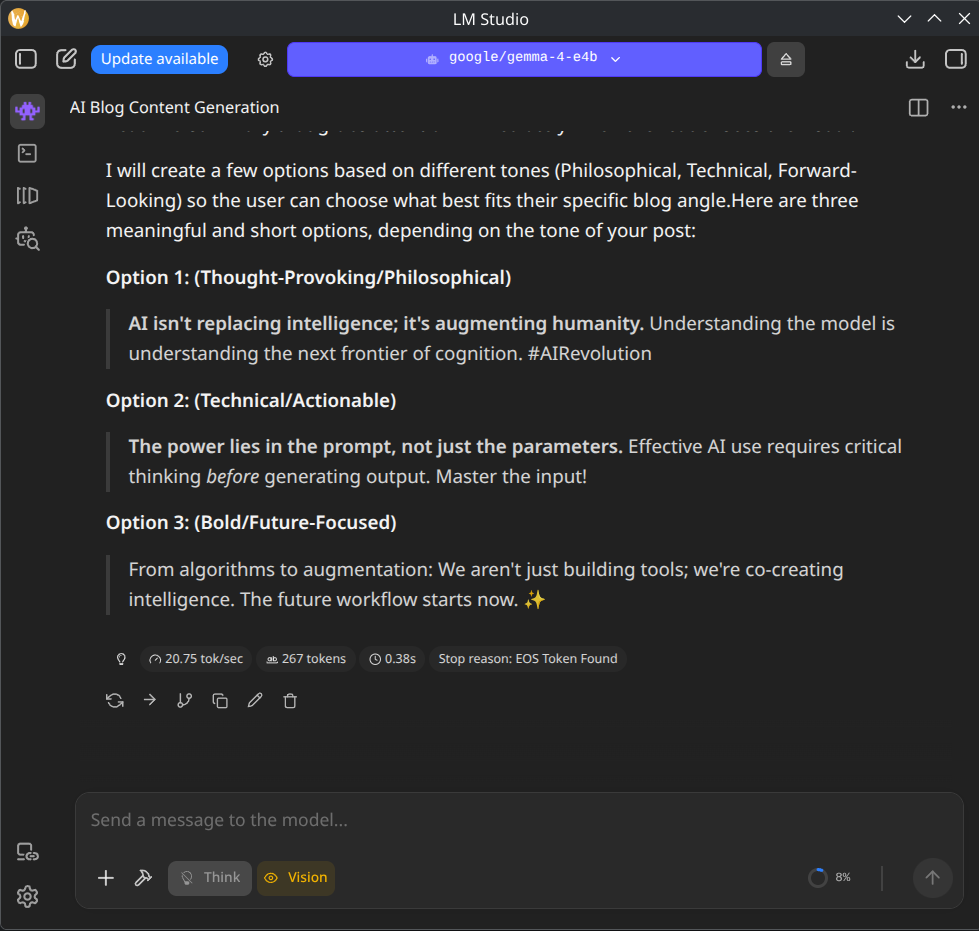
The tool is LM Studio. The loop is: install it, browse the catalog, pull a quantised GGUF, and you are talking to a local model in under five minutes. On the 780M I use LM Studio’s Vulkan runtime rather than fighting ROCm into recognising an iGPU it only unofficially supports; Vulkan just works on this hardware, which is exactly the kind of boring I want from a daily tool. The catalog is the real value: someone already curated sensible quantisations, so you are not spelunking through Hugging Face for a Q4_K_M of whatever you need.
The models I keep installed are small, locally downloadable ones with commercially usable weights that fit in shared memory, which matters when the machine processes work-related text on a closed network. Two of them do almost all of the work:
- Ministral 3 14B-Reasoning (
Q4_K_M). The workhorse: drafting, proofreading, rewriting a clunky sentence, a second opinion on tone. With LM Studio’s Vulkan runtime on Fedora, the laptop plugged in and an ordinary interactive prompt, I see roughly 21 generated tokens per second on the 780M - an everyday observation rather than a benchmark, but faster than I read. The reasoning variant is also noticeably more careful than a plain instruct model at catching the logical wobble in a paragraph before I publish it. - Gemma 4 E4B (
Q4_K_M). The one I switch to for translation. Carrying the meaning of a text into another language with good writing is a different skill from being merely correct, and this small Gemma is the best thing I have run locally at it: the output reads like prose a person wrote, not like a model that looked words up.
What I do not do is try to run a 70B-class model on this thing. It will technically load, throughput collapses into single digits, and the fans pretend to be a turbine. For 70B and up you want a real GPU or you rent an H100 by the hour. The 780M is the small-and-fast tier, and that tier is more useful than its reputation.
The honest performance accounting, because almost no AI post bothers with it:
- Memory bandwidth is the ceiling, full stop. The iGPU has no VRAM of its own; it reads weights out of the same LPDDR5x the CPU uses, so throughput is governed by RAM speed, not shader count. That is why the 14B
Q4lands where it does: comfortably interactive, nowhere near fast enough for batch. The way to go faster is a smaller model or a tighter quant, not more GPU. There is no more GPU. - Quality is “good enough” for a clear, narrow task. Proofreading, tone adjustment, light rephrasing, docstring generation, simple completions: yes. Open-ended creative writing or multi-file refactors: no. The hard stuff leaves the laptop.
- The privacy story is the entire point. Inference runs locally. For sensitive work I can pull the machine off the network entirely and still get useful output, so the prompt has nowhere to go but the GPU. That is not a nice-to-have, it is the reason the setup exists.
Q4_K_Mis the sweet spot.Q3is where the quality starts to show cracks at this model size;Q5andQ6cost memory and bandwidth the 780M cannot spare for the gain. Q4_K_M is the line I stay on.
The workflow this enables: I write in Vim, drop a paragraph into a local Mistral when I want a second opinion on tone, and only escalate to a cloud model when I am restructuring a long section or want a real critique. The local model is not a smaller cloud model. It is a different tool for a different job, the way a cron one-liner is not a smaller Ansible playbook.
The Frontier Tier: Four Things I Rent
This is the commodity layer, so I will keep it short. All four are excellent, all four are closed enough at the point of use that the choice between them is mostly economic and ergonomic. The prices below are list, as of June 2026, and I am deliberately not going to keep them current - OpenAI restructures roughly every six months, MiniMax-M3 is two days old as I write this, and the GLM tiers reshuffle constantly. Treat the table as a snapshot of the shape, not a number to plan against, and click through for anything real.
| Model | Vendor | In / Out per 1M tokens | I rent it for |
|---|---|---|---|
| Claude Opus 4.8 | Anthropic | $5 / $25 | The cleanest code and the best first-pass success on long agentic tasks. My default for anything hard. |
| GPT-5.5 | OpenAI | $5 / $30 | The “just do what I asked” model and the least painful multimodal SDK. Expensive; the Batch API halves it. |
| GLM-5.1 | Z.AI (Zhipu) | $1.40 / $4.40 | Agentic coding at roughly a quarter of Opus pricing. Z.AI reports frontier-level SWE-Bench Pro numbers; in my own use I still reach for Opus when first-pass reliability matters more than cost. |
| MiniMax-M3 | MiniMax | $0.60 / $2.40 | Bulk, low-stakes batch work. Open-weight, 1M-token context, the cheapest useful tokens in the table. |
MiniMax was running a seven-day launch discount the day I wrote this - $0.30 / $1.20 below 512K input tokens - so the table deliberately shows the standard, undiscounted rate instead.
Two of those deserve a sentence more than the table gives them, because they are the ones that surprised me.
Opus 4.8 is the only one I pay full price for without flinching, because the first-pass success rate on a multi-step coding task with a real test loop is the highest here, and a result that lands the first time is cheaper than a cheap result I have to babysit. It is occasionally too cautious on sysadmin-flavoured tasks - it will refuse a perfectly legitimate operation because it pattern-matches to something risky - but that is a fair trade for the code quality. Most of this blog’s tooling glue was drafted in exactly that loop.
MiniMax-M3 is the one that breaks the lazy “cheap Chinese model equals closed black box” assumption: it launched open-weight, with a 1M-token context window, two days before this post. I will never run a 1M-context frontier model on the 780M, but “I could host this myself if I had to” changes the risk calculus for sensitive or long-lived work in a way a closed API never can. The cheap-1M pitch has one asterisk worth knowing - cross 512K tokens in a single request and the whole call bills at double - but for high-volume summarising and classifying it is the only model here I run without watching the meter.
GPT-5.5 and GLM-5.1 round it out and need even less from me: GPT is the safe, expensive, everywhere default with the best tool-use ecosystem, and GLM is what I reach for when I want strong agentic behaviour without Opus pricing, helped along by a coding subscription that has been advertised as low as a few dollars a month. Every vendor also sells a flat-rate chat subscription in the rough range of two coffees a month; if you want one, take whichever chat UI you actually like and add a cheap metered API key for the bulk jobs. That is genuinely all the buying advice the frontier tier needs.
Why the Tiering Is the Point
That stack looks messy written out. In practice it is the opposite of messy, because each tier does the work it is shaped for and the seams between the cloud models are thin - a client or gateway config away from interchangeable. The dream of one model that is best at everything, cheapest to run, and small enough to live on a thin-and-light is not arriving in 2026, and probably not in 2027. Waiting for it is the mistake. Tiering around what exists today is the move.
So the frontier is a commodity I rent, and I have stopped having opinions about which rented frontier is marginally ahead this month, the same way I stopped caring which brand of NVMe is marginally faster. The interesting engineering, the part with craft in it, is the local tier: an integrated GPU, the kind that ships in every business laptop, that turns out to be a genuinely useful inference device once you respect what it is and stay inside its envelope. The frontier is a purchase. The local tier is a skill.
The stack is the product. Pick a few, point each one at the work it suits, keep a human in the loop, and ignore the leaderboard.
References
- LM Studio
- Mistral AI - models
- Anthropic - Claude pricing
- OpenAI - API pricing
- Z.AI - GLM Coding Plan
- MiniMax-M3 on Hugging Face
Four rented frontiers, a local Mistral, and a laptop fan that occasionally pretends to be a jet engine. The fan is the only part I had to earn.