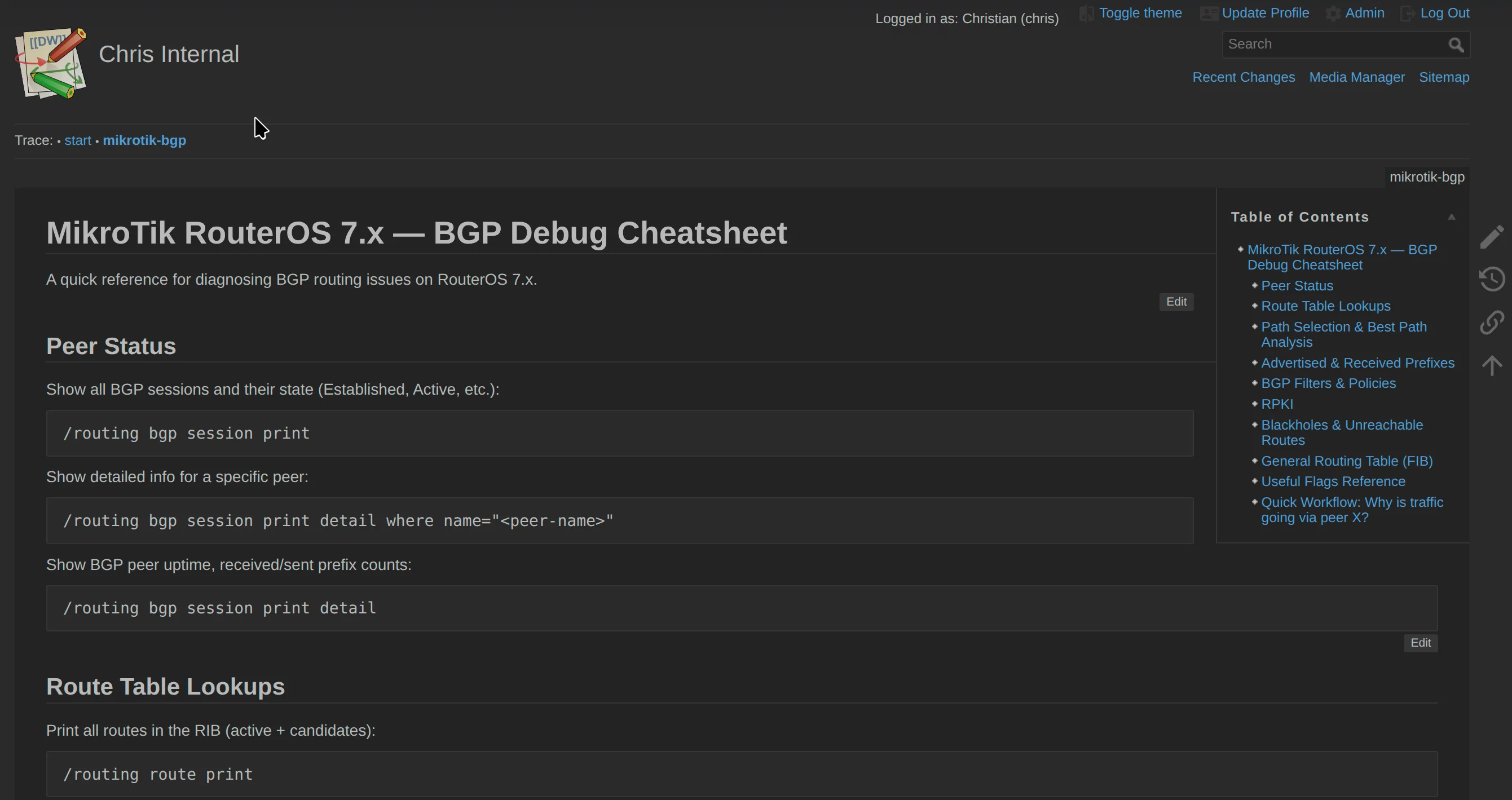
Some services do not need PostgreSQL, Redis, an object store, three containers, and a deployment manifest long enough to qualify as literature. Sometimes I need a wiki: a place for notes, runbooks, snippets, and the sort of documentation that is useful precisely because it is not public.
DokuWiki fits that job unusually well. It stores pages as plain text files, needs no database, has a mature ACL system, and is available as a regular FreeBSD package. Put it in a Bastille jail and the entire application becomes a small, inspectable service: nginx, PHP-FPM, and a directory tree I can back up with ordinary ZFS tooling.
This follows the same pattern as my blog infrastructure and CryptPad deployment: the application lives in its own jail, while a separate Caddy jail is the only public web frontend. If the networking below feels too compressed, the FreeBSD Foundationals article on Jails covers VNET, epairs, bridges, and the isolation model in detail.
The Shape of the Setup
The hostnames and addresses below are deliberately sanitized. example.com, 192.0.2.0/24, and 2001:db8::/32 are reserved for documentation; they describe the topology without publishing the production inventory.
The running system has two relevant thin jails:
[ Internet ]
     |
     | HTTPS :443
     v
+-------------------------------+
| caddy jail                    |
| 192.0.2.10 (public ingress)   |
| 2001:db8:1000::10 (public)    |
| TLS + GeoIP/access policy     |
+---------------+---------------+
                |
                | HTTP over host-local IPv6
                | -> [2001:db8:1000::26]:80
                v
+-------------------------------+
| wiki jail                     |
| 10.0.0.26                     |
| 2001:db8:1000::26             |
| nginx -> PHP-FPM -> DokuWiki  |
+-------------------------------+
On the host, Bastille shows the wiki as a FreeBSD 15.1 thin jail with both private IPv4 and routed IPv6:
root@server.example.com:~ # bastille list wiki
 JID  Name  Boot  Prio  State  Type  IP Address               Published Ports  Release
 8    wiki  on    99    Up     thin  10.0.0.26                 -                15.1-RELEASE-p1
                                     2001:db8:1000::26
There are no published ports. That column being empty is important: DokuWiki is not exposed through a Bastille rdr (port redirection) rule. Caddy reaches nginx directly over IPv6, and the host firewall decides which traffic may reach the jail network. For the broader PF design behind these hosts, see my practical PF guide.
This is not the smallest possible layout. Caddy and DokuWiki could share a jail, but the separate frontend is an intentional part of the architecture. Caddy is the central ingress for every web application on this host. Each application gets its own jail, but only the Caddy jail is reachable from the outside. That gives the machine a single public entry point where TLS termination, access logging, headers, and ingress policy are handled consistently. The application jails remain backends: isolated from each other, invisible to the public network, and only expected to serve requests from Caddy.
Creating the Jail
I am assuming that Bastille is already installed, the 15.1-RELEASE bootstrap exists, and the bastille0 bridge is configured. A basic VNET jail on that bridge starts like this:
bastille create -B wiki 15.1-RELEASE 10.0.0.26 bastille0
bastille start wiki
bastille console wiki
The routed IPv6 address is part of my existing Bastille network configuration. Exactly how you attach it depends on whether you route a prefix to bastille0, bridge a public segment, or use NAT66. I route a dedicated prefix to the jail network; there is no reason to hide IPv6 behind NAT when PF can filter it properly.
Inside the jail, the normal housekeeping applies: disable services I do not need, keep syslog from opening network sockets, and enable only the two application daemons:
sysrc syslogd_flags="-ss"
sysrc sendmail_enable="NO"
sysrc sendmail_submit_enable="NO"
sysrc sendmail_outbound_enable="NO"
sysrc sendmail_msp_queue_enable="NO"

sysrc nginx_enable="YES"
sysrc php_fpm_enable="YES"
The result is refreshingly boring. The entire application process tree is nginx, PHP-FPM, and the standard jail housekeeping:
root  php-fpm: master process (/usr/local/etc/php-fpm.conf)
www   php-fpm: pool www
www   php-fpm: pool www
root  nginx: master process /usr/local/sbin/nginx
www   nginx: worker process
For a private documentation service, boring is a feature.
Installing DokuWiki from Packages
DokuWiki is in the FreeBSD package repository with PHP flavors. This jail uses PHP 8.5:
pkg install nginx dokuwiki-php85
The package pulls in PHP and the extensions DokuWiki needs. On this system that includes ctype, filter, gd, iconv, mbstring, session, simplexml, xml, and zlib. LDAP and PDO are installed as well because I may want directory-backed authentication and other plugins later, but a basic DokuWiki does not need a database driver at all.
The package installs the application below:
/usr/local/www/dokuwiki
That is the whole attraction. There is no application checkout under /opt, no Composer build, and no database bootstrap. pkg owns the application code and upgrades it along with the rest of the jail.
Start from the production PHP configuration:
cp /usr/local/etc/php.ini-production /usr/local/etc/php.ini
The PHP-FPM master configuration can remain almost entirely at its packaged default. It includes the pool definitions from /usr/local/etc/php-fpm.d/*.conf:
[global]
pid = run/php-fpm.pid
include=/usr/local/etc/php-fpm.d/*.conf
In the www pool, I use a Unix socket rather than opening another TCP listener:
; /usr/local/etc/php-fpm.d/www.conf
[www]
user = www
group = www

listen = /var/run/php-fpm.sock
listen.owner = www
listen.group = www
listen.mode = 0660
nginx runs its worker as www, so both processes can use the socket without making it world-writable.
If uploads should be larger than PHP’s defaults, change both sides of the request path. Setting only nginx’s limit does not make PHP accept a 32 MB file:
; /usr/local/etc/php.ini
upload_max_filesize = 32M
post_max_size = 32M
cgi.fix_pathinfo = 0
post_max_size must be at least as large as upload_max_filesize. I also disable cgi.fix_pathinfo; nginx resolves the script explicitly, so PHP does not need to guess which file was intended.
nginx Inside the Jail
nginx serves the DokuWiki tree, hands real PHP files to PHP-FPM, and translates clean wiki URLs into DokuWiki’s entry points. The complete configuration is short enough to keep in one file:
worker_processes  1;

events {
    worker_connections  1024;
}

http {
    include       mime.types;
    default_type  application/octet-stream;
    sendfile      on;
    keepalive_timeout 65;

    server {
        listen [::]:80 ipv6only=on;
        server_name wiki.example.com;

        root /usr/local/www/dokuwiki;
        index index.php index.html doku.php;

        client_max_body_size 32M;

        location / {
            try_files $uri $uri/ @dokuwiki;
        }

        location @dokuwiki {
            rewrite ^/_media/(.*) /lib/exe/fetch.php?media=$1 last;
            rewrite ^/_detail/(.*) /lib/exe/detail.php?media=$1 last;
            rewrite ^/_export/([^/]+)/(.*) /doku.php?do=export_$1&id=$2 last;
            rewrite ^/(.*) /doku.php?id=$1 last;
        }

        location ~ \.php$ {
            try_files $uri =404;

            fastcgi_pass unix:/var/run/php-fpm.sock;
            fastcgi_index index.php;

            include fastcgi_params;
            fastcgi_param SCRIPT_FILENAME $document_root$fastcgi_script_name;
            fastcgi_param SCRIPT_NAME $fastcgi_script_name;
        }

        # DokuWiki stores both content and configuration below the webroot.
        location ~ ^/(data|conf|bin|inc|vendor)/ {
            deny all;
        }

        location ~ /\.ht {
            deny all;
        }

        # Keep the installer unreachable after the initial setup.
        location = /install.php {
            deny all;
        }
    }
}
There are five details here worth calling out.
The rewrite rules preserve query arguments without spelling out $args. nginx automatically appends the request’s existing arguments when a rewrite target introduces new ones. A request such as /_media/photo.jpg?w=200 therefore reaches fetch.php with both media=photo.jpg and w=200; adding &$args manually would duplicate the original query string.
nginx listens on IPv6 only. The jail has an RFC1918 address because that is how the broader Bastille network is built, but this particular backend path uses 2001:db8:1000::26. Keeping the listener IPv6-only makes that decision explicit.
try_files $uri =404 comes before PHP-FPM. nginx will not pass an arbitrary .php path to the interpreter unless the file actually exists below the document root.
The internal directories are denied at the web server. DokuWiki stores pages below data/ and configuration below conf/, both underneath the document root. DokuWiki ships its own protection files for Apache, but nginx does not read .htaccess. Without explicit deny rules, the flat-file design that makes backups simple can turn into a data leak.
The installer is a one-time endpoint. Use /install.php to create the initial configuration and administrator, then remove or deny it. I prefer the nginx denial because a later package operation cannot accidentally make the file reachable again.
Validate before starting anything:
php-fpm -tt
nginx -t
service php-fpm start
service nginx start
At this point the backend can be tested from the Caddy jail without involving public DNS or TLS:
curl -I -H 'Host: wiki.example.com' \
  http://[2001:db8:1000::26]/
That should return an HTTP response from nginx. Supplying the expected Host header also confirms that nginx selected the intended virtual host. If it returns 502 Bad Gateway, check the PHP-FPM socket and its ownership. If it returns DokuWiki’s raw PHP source, stop immediately: the PHP location is not being selected and the site must not be exposed.
Caddy at the Edge
Caddy runs in a separate jail at 2001:db8:1000::10. It obtains and renews the certificate, applies the public access policy, and proxies accepted requests to nginx:
wiki.example.com {
    # Block requests neither geolocated to DE nor from a trusted network.
    @blocked {
        not maxmind_geolocation {
            db_path /usr/local/share/GeoIP/GeoLite2-Country.mmdb
            allow_countries DE
        }
        not remote_ip 10.0.0.0/24 \
            2001:db8:2000::/64 \
            2001:db8:1000::/64
    }

    abort @blocked

    reverse_proxy [2001:db8:1000::26]:80 {
        header_up Host {host}
        header_up X-Real-IP {client_ip}
        header_up X-Forwarded-For {client_ip}
        header_up X-Forwarded-Proto {scheme}
    }

    header {
        Strict-Transport-Security "max-age=31536000; includeSubdomains"
    }
}
The matcher logic is easy to misread. A request is blocked when it is neither from Germany nor from one of the explicitly trusted networks. In other words, German source addresses and my internal networks are allowed; everything else is aborted before it reaches DokuWiki.
maxmind_geolocation is not part of stock Caddy. The Caddy binary needs to be built or packaged with that module, and the GeoLite2 database needs to be kept current. More importantly, country filtering is not authentication. GeoIP data is imperfect and a VPN exits wherever its operator wants it to. DokuWiki’s ACLs still decide who can read and edit the wiki; the Caddy rule merely removes a large amount of irrelevant internet traffic.
Validate and reload Caddy in its jail:
caddy validate --config /usr/local/etc/caddy/Caddyfile
service caddy reload
Caddy speaks plain HTTP to nginx. That is also deliberate. The packets cross the host-local Bastille bridge between two jails, but never leave the physical machine or enter a network I do not control. They are not literally loopback packets - VNET gives each jail its own network stack and connects it through epairs and the bridge - but from a trust-boundary perspective the path is entirely local.
Adding TLS between Caddy and every application jail would therefore encrypt traffic only while it moves inside the same kernel. It would add certificate management, another failure mode, and unnecessary encryption work without protecting the traffic on any external wire. The CPU cost would be small on modern hardware, but it would still be wasted cycles. TLS terminates once, at the central ingress where the untrusted network ends. If a backend ever moved to another host or crossed a network I did not fully control, I would enable TLS on that hop immediately.
Initial DokuWiki Setup
With the proxy in place, temporarily allow /install.php: comment out the exact location = /install.php block shown above, run nginx -t && service nginx reload, and visit:
https://wiki.example.com/install.php
The installer creates the wiki title, administrator, and initial ACL policy. For an internal wiki I start closed: no anonymous reads, no public registration, and explicit access for authenticated users. That is easier to loosen later than discovering that a runbook was indexed by a search engine.
After the installer completes:
- Restore the nginx denial for
/install.php, runnginx -t, and reload nginx. - Log out and confirm that an anonymous browser cannot read a page.
- Log in as a normal non-admin user and verify the intended namespace permissions.
- Upload a file large enough to confirm the nginx and PHP limits agree.
- Request
/data/pages/start.txtdirectly and confirm nginx returns403.
The last check matters. A working front page proves the application runs; it does not prove its private storage is private.
Updates and Backups
The software side follows the normal FreeBSD package workflow:
pkg update
pkg audit -F
pkg upgrade
service php-fpm restart
service nginx reload
After an upgrade, I check the DokuWiki release notes, load a page, edit a test page, and exercise any non-core authentication plugin. PHP applications have a talent for looking healthy until the first request reaches a code path an extension no longer supports.
DokuWiki’s lack of a database makes the backup boundary obvious. The important state is below /usr/local/www/dokuwiki, especially:
conf/              site configuration, users, ACLs
data/pages/        page content
data/media/        uploaded files
data/meta/         metadata
data/attic/        old page revisions
data/media_attic/  old media revisions
lib/plugins/       installed plugins
lib/tpl/           additional templates
The simplest reliable policy is to snapshot and back up the entire jail dataset. That captures application state and configuration together, and it fits directly into the multi-stage ZFS backup strategy I use elsewhere. Plain files make recovery inspectable, but they do not make backups optional.
I still test a restore. I clone a recent snapshot into a throwaway jail on a disposable address, start PHP-FPM and nginx there, and point curl at it with the expected Host header. Then I log in through a temporary Caddy route and verify a page edit, an old revision, and a media download before destroying the jail. A pile of start.txt files in an archive is not a restored wiki until nginx, PHP-FPM, ACLs, plugins, and uploaded media all work together on a clean jail.
What This Setup Buys Me
The end result is a deliberately modest service:
- DokuWiki provides a capable wiki without a database or background workers.
- The Bastille jail gives it a small filesystem, process, and network boundary.
- nginx exposes only the application entry points and explicitly blocks DokuWiki’s private directories.
- PHP-FPM communicates over a local Unix socket rather than another network port.
- Caddy centralizes certificates, access policy, and public request handling.
- ZFS snapshots capture the complete service in one consistent backup unit.
This is the kind of workload where FreeBSD jails feel exactly right. The application does not need a virtual machine, and wrapping three daemons in an OCI stack would add more moving parts than it removes. One jail, two services, one directory of state, and a reverse proxy in front is enough.
The interesting part is not getting DokuWiki to render a page. pkg install handles most of that. The interesting part is drawing clean boundaries: no direct published port, no public PHP-FPM listener, no access to data/ or conf/, no assumption that GeoIP replaces authentication, and no backup plan that stops at “the files are somewhere on ZFS.” Once those details are explicit, the wiki becomes exactly what internal infrastructure should be: useful, quiet, and unsurprising.
Comments
You can use your Mastodon or other ActivityPub account to comment on this article by replying to the associated post.
Search for the copied link on your Mastodon instance to reply.
Loading comments...