
- Mon 27 April 2026
- 19 min read
- Linux
- #ansible, #podman, #quadlet, #containers, #systemd, #mastodon, #automation, #rhel
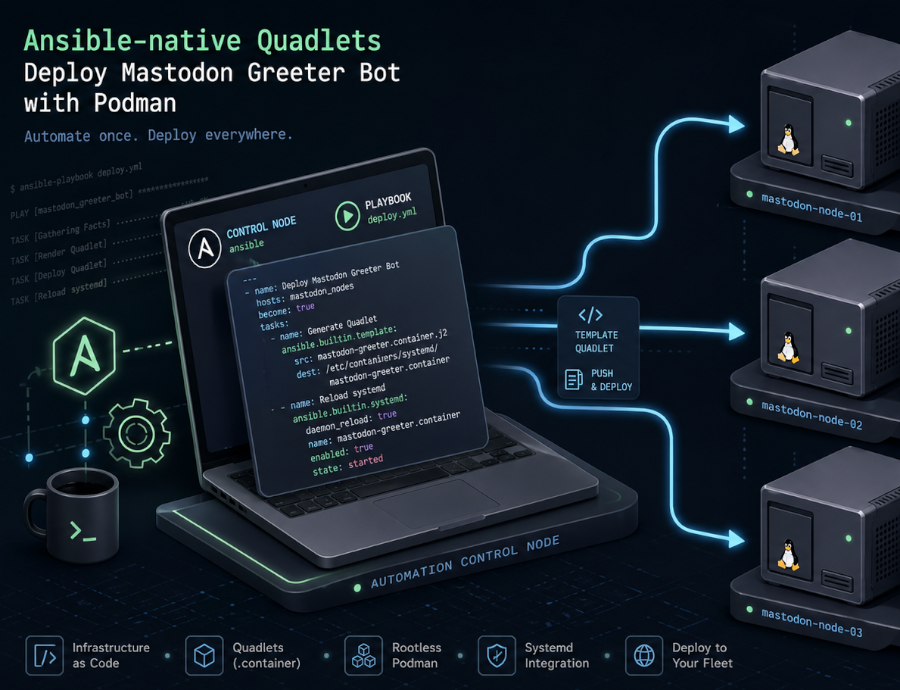
Table of Contents
- Table of Contents
- Why Ansible (and Not Just scp Plus systemctl)
- The Bot in One Paragraph
- The Container, Briefly
- The Ansible Layout
- Step 1: Fail Fast on Missing Configuration
- Step 2: Host-Side State Directory
- Step 3: Templated Configuration
- Step 4: Optional Registry Login
- Step 5: The Podman Secret
- Step 6: Generating the Quadlet
- Step 7: The Handler Chain
- What You Get
- Updates and Secret Rotation
- When This Pattern Pays Off (and When It’s Overkill)
- References
I’ve covered Podman Quadlets and the broader Podman in Production story already. The pattern is straightforward: drop a .container file into /etc/containers/systemd/, run systemctl daemon-reload, and you have a container managed as a first-class systemd service. No daemon, no Compose runtime, no orchestrator. That works beautifully on a single host; once you have more than one, you want the deployment in version control and applied by a tool that can detect drift.
The containers.podman Ansible Collection has quietly become a very nice answer to that. As of recent releases it can generate Quadlet files directly from a podman_container task: you declare the desired container, the module writes the unit file, and the role wraps the rest of the deployment around it. Ansible’s idempotency takes care of the rest.
The worked example is a small bot I run on my Mastodon instance, mastogreet. It watches the admin API for new local registrations and posts a welcome status mentioning each new account a configurable delay after they signed up. The bot itself is a few hundred lines of Python; what makes it interesting here is how it gets to the host.
Why Ansible (and Not Just scp Plus systemctl)
For a single homelab box, a hand-edited .container file is fine. I have plenty of those. For anything that needs to survive a reinstall, run on more than one host, or be reviewed by someone other than me, that approach falls over fairly quickly:
- No idempotency. Did I update the unit file? Did I
daemon-reload? Did I remember tosystemctl restart? A shell script is one missed step from divergence. - Secrets get mishandled. A scp’d unit file with a password in
Environment=is a leak waiting to happen, and the alternative (typingpodman secret createby hand on each host) doesn’t exist in version control anywhere. - No drift detection. When I come back six months later, did somebody hand-edit the unit on the host? With Ansible, the next playbook run rewrites it.
- Multi-host scaling is a copy-paste exercise. Inventory groups solve that for free.
There are other tools in this space (cdist, salt, even cloud-init for first-boot scenarios), and they all work. I reach for Ansible because the agentless SSH model fits how I run small fleets, and because the containers.podman collection has gotten genuinely good. If you’re already running Ansible elsewhere, this is a low-friction extension. If you’re not, the rest of this article reads as a case study and the patterns translate to whatever configuration tool you prefer.
The Bot in One Paragraph
mastogreet polls Mastodon’s admin API for new local accounts, filters out bots, suspended/unconfirmed users, and anyone older than the backfill cutoff (set to “now” on first run so the bot doesn’t greet pre-existing users), then waits a configurable delay (default 15 minutes) before posting a welcome status that @-mentions the new user. State lives in a tiny SQLite database so the bot doesn’t double-greet across restarts. It picks a localized message bundle based on the new user’s signup locale, falling back to a configured default. There’s a dry_run mode for testing, and graceful shutdown on SIGTERM so systemd can stop it cleanly.
The Python is unremarkable. The interesting part is that everything an operator might want to change (instance URL, access token, welcome delay, message bundles, registry to pull the image from) is either an environment variable or a config-file value, which means it maps cleanly onto Ansible variables.
The Container, Briefly
The container side is deliberately boring. The full Containerfile:
FROM python:3.12-slim

ARG UID=10001
ARG GID=10001

RUN groupadd --system --gid ${GID} mastogreet \
 && useradd  --system --uid ${UID} --gid ${GID} --home-dir /app --no-create-home mastogreet

WORKDIR /app

COPY requirements.txt .
RUN pip install --no-cache-dir -r requirements.txt

COPY mastowelcome.py .

RUN install -d -o mastogreet -g mastogreet /data
VOLUME ["/data"]

USER mastogreet

ENV PYTHONUNBUFFERED=1 \
    MASTOGREET_CONFIG=/data/config.yaml \
    MASTOGREET_DB=/data/state.db
A non-root system user with a fixed UID/GID (10001), config and state under /data, and PYTHONUNBUFFERED=1 so the logs flow through to journald in real time instead of buffering. The fixed UID matters: when Ansible creates the host-side state directory, it needs to chown to that UID so the container can actually write to its bind mount.
Build is a one-time multi-arch step (my deploy host is aarch64, my workstation is amd64):
TAG=$(date +%Y%m%d)
podman build --platform linux/amd64,linux/arm64 \
  --manifest git.linuxserver.pro/chris/mastogreet:$TAG .
podman manifest push --all git.linuxserver.pro/chris/mastogreet:$TAG
After that, the host never builds anything; it pulls. Which means a registry credential becomes part of the deployment story.
The Ansible Layout
The ansible/ directory is intentionally small:
ansible/
├── group_vars/
│   └── all.yml.example         # variables, secrets vault-encrypted
├── inventory.example
├── playbook.yml                # one-liner that applies the role
└── roles/
    └── mastogreet/
        ├── defaults/main.yml   # safe defaults
        ├── handlers/main.yml   # daemon-reload + restart
        ├── tasks/main.yml      # the actual deployment logic
        └── templates/
            └── config.yaml.j2  # bot config rendered from vars
The playbook is the obvious one-liner:
- name: Deploy mastogreet
  hosts: mastogreet
  become: true
  roles:
    - mastogreet
The interesting work happens in the role. Let’s walk through it.
Step 1: Fail Fast on Missing Configuration
The first task is an assertion. It costs almost nothing and saves a lot of confusion later:
- name: Assert required variables are set
  ansible.builtin.assert:
    that:
      - mastogreet_image is defined and mastogreet_image | length > 0
      - mastogreet_instance_url is defined and mastogreet_instance_url | length > 0
      - mastogreet_access_token is defined and mastogreet_access_token | length > 0
      - mastogreet_languages is defined and (mastogreet_languages | length) > 0
      - mastogreet_default_language in mastogreet_languages
    fail_msg: >-
      mastogreet_image, mastogreet_instance_url, mastogreet_access_token must
      be set, and mastogreet_languages must include at least one bundle whose
      key matches mastogreet_default_language.
A misconfigured mastogreet_default_language (one that doesn’t have a corresponding bundle) is the kind of thing the bot itself would only notice when the first new user signed up, somewhere between minutes and hours after deployment. Catching it at task zero is cheap; debugging it from journalctl at 11pm is not.
This pattern (assertion task at the top of the role) shows up in nearly every production role I write. It’s the role’s contract with the operator.
Step 2: Host-Side State Directory
The bot writes to /data inside the container, which is bind-mounted from /opt/mastogreet/ on the host. That directory needs to exist with the right ownership before the container starts:
- name: Ensure state directory exists with container UID ownership
  ansible.builtin.file:
    path: "{{ mastogreet_state_dir }}"
    state: directory
    owner: "{{ mastogreet_container_uid }}"
    group: "{{ mastogreet_container_gid }}"
    mode: "0750"
mastogreet_container_uid defaults to 10001, matching the Containerfile‘s useradd. The 0750 mode keeps anything other than that UID and root out of the directory, which matters because config.yaml lands here too.
This is where Ansible earns its keep over a bare Quadlet drop: the file ownership has to be in lock-step with the in-container user, and “I’ll just remember to chown the directory” doesn’t survive contact with a host rebuild.
Step 3: Templated Configuration
The non-secret bot configuration lives in config.yaml, templated from the role’s variables:
- name: Template config.yaml
  ansible.builtin.template:
    src: config.yaml.j2
    dest: "{{ mastogreet_state_dir }}/config.yaml"
    owner: "{{ mastogreet_container_uid }}"
    group: "{{ mastogreet_container_gid }}"
    mode: "0640"
  notify: Restart mastogreet
The config.yaml.j2 template is mostly a one-to-one mapping from role variables to YAML keys (poll_interval_seconds, welcome_delay_minutes, visibility, the language bundles), with one nice touch: the language bundles are passed as a single nested data structure and rendered with to_nice_yaml:
default_language: {{ mastogreet_default_language }}
languages:
{{ mastogreet_languages | to_nice_yaml(indent=2) | indent(2, true) }}
This means an operator can add a third or fourth language by editing mastogreet_languages in group_vars/all.yml, no template changes required. The nested structure (per-language message_template, tips, recommendations) round-trips cleanly through Ansible’s YAML.
The notify: Restart mastogreet matters: a config-only change (say, tweaking the welcome message) re-templates the file and triggers the handler, but it doesn’t recreate the container. The bot picks up the new config on its next start.
Step 4: Optional Registry Login
The bot image lives on a private Forgejo registry, which means the host needs credentials before it can pull:
- name: Log in to container registry
  containers.podman.podman_login:
    registry: "{{ mastogreet_registry }}"
    username: "{{ mastogreet_registry_username }}"
    password: "{{ mastogreet_registry_password }}"
  when:
    - mastogreet_registry is defined
    - mastogreet_registry_username is defined
    - mastogreet_registry_password is defined
  no_log: true
Three things worth pointing out:
- Conditional execution. If you’re pulling from a public registry, the variables stay undefined and the task is skipped. The role works in both cases.
no_log: trueprevents Ansible from echoing the password into stdout or the log file on a-vvrun. This should be reflexive for any task touching credentials.- Module, not shell. Calling
containers.podman.podman_loginrather thancommand: podman login ...means idempotency, structured error reporting, and no risk of credentials landing inbashhistory because of a misconfiguredbecome.
Step 5: The Podman Secret
Here’s where the corrected understanding of Podman’s secret store matters. The default file driver doesn’t encrypt at rest; it base64-encodes secrets and relies on filesystem permissions. That’s a meaningful improvement over putting the access token in Environment= inside the unit file (where it would show up in systemctl cat, in the journal, and in /proc/<pid>/environ), but it isn’t a vault. For a single-host bot deployment behind tight filesystem permissions, it’s the right level of protection. For larger fleets, swap in pass or shell drivers and integrate with HashiCorp Vault or OpenBAO.
The role uses containers.podman.podman_secret to manage the secret idempotently:
- name: Create podman secret for access token
  containers.podman.podman_secret:
    name: "{{ mastogreet_secret_name }}"
    state: present
    data: "{{ mastogreet_access_token }}"
    force: true
  no_log: true
  notify: Restart mastogreet
force: true means the secret is removed and recreated on every run with the current variable value. That sounds wasteful, but containers.podman.podman_secret does not expose a “compare current value to desired value and update if different” mode in a way that doesn’t leak the existing value in diff output. Recreating unconditionally is the cheap, deterministic option: when the playbook variable changes, the secret reflects it on the next run.
The trade-off is honest: with force: true the secret task can report changed on every run, which then notifies the restart handler. I cover the practical implication of that under “What You Get” below; for the rest of the role, just keep in mind that the secret value flowing through Ansible variables is the source of truth, and the secret store is regenerated to match.
The notify chain matters because Podman injects type=env secrets when the container process is created. Updating the secret store on its own does not mutate the environment of an already-running process. A systemctl restart of the Quadlet-generated service stops the old container and starts a new one, and that fresh container creation is when Podman reads the current secret value. So the rotation flow is: change the variable, run the playbook, the secret task rewrites the store, the handler chain restarts the service, the new container starts with the new value in its environment.
Step 6: Generating the Quadlet
This is the task this whole article is really about:
- name: Generate Quadlet unit for mastogreet
  containers.podman.podman_container:
    name: mastogreet
    image: "{{ mastogreet_image }}"
    state: quadlet
    quadlet_dir: "{{ mastogreet_quadlet_dir }}"
    quadlet_filename: "{{ mastogreet_quadlet_name }}"
    volumes:
      - "{{ mastogreet_state_dir }}:/data:Z"
    secrets:
      - "{{ mastogreet_secret_name }},type=env,target=MASTOGREET_ACCESS_TOKEN"
    env:
      MASTOGREET_INSTANCE_URL: "{{ mastogreet_instance_url }}"
    quadlet_options:
      - "AutoUpdate=registry"
      - |
        [Service]
        Restart=on-failure
        RestartSec=30s
      - |
        [Install]
        WantedBy=multi-user.target default.target
  notify:
    - Reload systemd
    - Restart mastogreet
The key parameter is state: quadlet. With it, the module writes a .container Quadlet file to quadlet_dir instead of starting a container directly. Everything Podman natively understands (image, volumes, env, secrets) maps to first-class module parameters. The quadlet_options list is the escape hatch for everything else: anything you’d write into the Quadlet by hand goes here, either as a single Key=value line or as a multi-line [Section] block.
A few details worth highlighting:
AutoUpdate=registryopts the container intopodman auto-update. With the systemd timer enabled (systemctl enable --now podman-auto-update.timer), the host checks whether the configured image reference resolves to a different remote digest than the local copy and restarts the systemd unit if it does. The registry policy requires a fully qualified image reference, which is whymastogreet_imagealways carries the registry hostname. This is most useful for mutable tags such aslatestor a moving channel tag; for immutable date tags like:20260427, assuming you never move those tags, the digest does not change andAutoUpdate=registryis effectively a no-op. I leave the option in the role anyway so the same playbook works for both styles, and bump the variable through Ansible when I’m pinning.- No explicit
Pull=policy is set. With Quadlet’s defaults, the image is pulled when missing and otherwise reused from local storage. Updates happen either throughAutoUpdate=registry(for mutable tags) or through Ansible (for pinned tags, where changingmastogreet_imagetriggers a re-render of the unit and a restart; if that image reference is not already present locally, Quadlet/Podman pulls it during startup). If you wanted to force “always check at restart”, you could addPull=newerviaquadlet_optionsor the module’spullparameter; I avoid it here because for an immutable date tag it adds a round-trip to the registry on every restart for no gain. Restart=on-failureplusRestartSec=30sis more conservative than theRestart=alwaysyou see in the Forgejo Quadlet article.on-failuremeans systemd won’t restart the bot if it exits cleanly with code 0 (which it does onSIGTERM), only if it crashes. The 30-second back-off prevents tight crash loops if the Mastodon API is flapping.WantedBy=multi-user.target default.targetensures the service starts at boot in either target. Redundant by design; one of the two would usually be enough.- The
Zflag on the volume: same as the Forgejo example, this relabels/opt/mastogreet/withcontainer_file_tso SELinux lets the container read and write. CapitalZ(private label) rather than lowercasez(shared) because no other container needs access to this directory.
The resulting /etc/containers/systemd/mastogreet.container looks like a Quadlet you’d write by hand. That’s the point: the module isn’t a layer of indirection, it’s a generator. If you want to see what it produces, run the playbook in --check --diff mode and Ansible will show you the proposed file content, or run /usr/libexec/podman/quadlet --dryrun after deployment to see the systemd unit Quadlet itself derives from your .container file.
Step 7: The Handler Chain
Quadlet is a generator. Changing the .container file does not, by itself, do anything; systemd needs to be told to re-read its unit files, and the service needs to be restarted to pick up the change:
- name: Reload systemd
  ansible.builtin.systemd:
    daemon_reload: true

- name: Restart mastogreet
  ansible.builtin.systemd:
    name: mastogreet.service
    state: restarted
Two things that matter here:
Order matters. Ansible runs notified handlers in the order they’re defined in the handlers file, not the order they were notified. So even though the Generate Quadlet unit task notifies Reload systemd and Restart mastogreet in that order, Ansible’s guarantee is that the handlers file’s order is what executes. Defining Reload systemd first means a daemon-reload always happens before any restart, regardless of which task triggered the notification. Without that ordering, you could end up restarting against a stale unit definition and wonder why your config change didn’t take effect.
Flush handlers before the start task. The role ends with:
- name: Flush handlers so the unit is reloaded before we start it
  ansible.builtin.meta: flush_handlers

- name: Ensure mastogreet service is started
  ansible.builtin.systemd:
    name: mastogreet.service
    state: started
By default, handlers run at the end of the play. That’s fine for restarts, but the Ensure ... is started task is the first-deployment safety net (in case nothing notified the restart handler because nothing changed). For that to work on a brand-new host, the daemon-reload has to have happened first; otherwise systemd doesn’t know what mastogreet.service is. meta: flush_handlers forces them to run immediately. It’s a small ergonomic detail that’s easy to miss until your first-run deployment fails on a unit-not-found error.
What You Get
A first run on a fresh host produces:
PLAY [Deploy mastogreet] *********************************************************

TASK [mastogreet : Assert required variables are set] ***************************
ok: [argon]

TASK [mastogreet : Ensure state directory exists with container UID ownership] **
changed: [argon]

TASK [mastogreet : Template config.yaml] ****************************************
changed: [argon]

TASK [mastogreet : Log in to container registry] ********************************
changed: [argon]

TASK [mastogreet : Create podman secret for access token] ***********************
changed: [argon]

TASK [mastogreet : Generate Quadlet unit for mastogreet] ************************
changed: [argon]

RUNNING HANDLER [mastogreet : Reload systemd] ***********************************
ok: [argon]

RUNNING HANDLER [mastogreet : Restart mastogreet] *******************************
changed: [argon]

TASK [mastogreet : Ensure mastogreet service is started] ************************
ok: [argon]
On the host, the bot is a normal systemd service:
$ systemctl status mastogreet
● mastogreet.service
     Loaded: loaded (/etc/containers/systemd/mastogreet.container; generated)
     Active: active (running)
   Main PID: 12342 (conmon)
        ...

$ journalctl -u mastogreet -n 5
Apr 27 19:14:11 argon mastogreet[12345]: Authenticated as @larvitz on burningboard.net.
Apr 27 19:14:11 argon mastogreet[12345]: Backfill cutoff: 2026-04-27T19:14:11+00:00
Apr 27 19:14:12 argon mastogreet[12345]: Scanned 0 local accounts since cutoff.
A second ansible-playbook run on an unchanged host is mostly quiet. The exception is the secret task: with force: true, it can report changed and notify the restart handler even when the access-token variable hasn’t moved, because the module rebuilds the secret unconditionally rather than peeking at the existing value to compare. That is the trade-off I accept here to keep secret rotation deterministic without exposing secret material in diffs. If you find the spurious restarts disruptive, the alternative is to drop force: true and accept that secret rotation requires either a separate “rotate” playbook or a manual podman secret rm before the next run.
Everything else in the role is properly idempotent: file, template, podman_login, and the Quadlet generation only report changed when the underlying state actually drifts.
Updates and Secret Rotation
Image updates work two ways:
- Pin a tag, bump it manually. Set
mastogreet_image: registry.example.com/chris/mastogreet:20260427ingroup_vars/all.yml, push a new tag, update the variable, re-run the playbook. TheGenerate Quadlet unittask detects the changed image, rewrites the unit, the handlers reload systemd and restart the service. Predictable and reviewable. - Use
:latestplus auto-update. Withmastogreet_image: ...:latestandAutoUpdate=registryin the Quadlet, the host’spodman-auto-update.timernotices whenlatestresolves to a new digest and restarts the unit so a fresh container starts on that digest. No playbook run needed for a routine image refresh. Convenient, but you give up the “nothing changes on the host without an Ansible run” property, which I value enough that I usually pin tags in production and only use:latestfor development boxes.
Secret rotation is a one-line variable change followed by a playbook run:
# Update the access token in the vaulted group_vars file
ansible-vault edit ansible/group_vars/all.yml

# Re-run; the secret task is unconditional, so the new value lands,
# and the handler-driven restart recreates the container so Podman
# injects the new env value.
ansible-playbook -i ansible/inventory ansible/playbook.yml --ask-vault-pass
The bot is briefly stopped during the restart (a few seconds), and on resume it picks up where it left off. The SQLite greeted table tracks who has already been welcomed across restarts.
When This Pattern Pays Off (and When It’s Overkill)
I’d reach for containers.podman plus Quadlet generation any time:
- More than one host runs the same workload.
- The deployment configuration should be in version control (it should).
- Secrets exist (they do).
- A mix of Ansible-managed and hand-written Quadlets is fine; the collection generates files that look like any other Quadlet.
I’d skip it for:
- One-off experiments on my workstation. A shell script or a hand-edited
.containerfile is faster. - Workloads that are genuinely orchestration-shaped (multi-host scheduling, rolling updates, service mesh). Use Kubernetes for that, not Ansible plus Quadlets.
- Cases where the entire team already lives in a different config-management tool. The patterns translate; the syntax doesn’t.
The middle ground (a handful of single-host Linux boxes running OCI containers) is exactly where the containers.podman collection shines. It gives you the systemd-native Quadlet model from the Podman in Production deep-dive, with declarative Ansible state on top, and almost none of the impedance mismatch you’d expect from gluing those two together.
For me, mastogreet is now one of about a dozen services managed this way on my fleet of small RHEL hosts. The role is a hundred lines of YAML, the playbook is six lines, and the next host that needs this bot is a new entry in inventory away.
References
containers.podmanAnsible Collection - the collection that does the heavy liftingpodman_containermodule documentation - includingstate: quadletpodman_secretmodule documentationpodman_loginmodule documentation- Podman Quadlet Documentation - the underlying file format
- Production-Grade Container Deployment with Podman Quadlets - the original Quadlet walkthrough
- Podman in Production: Quadlets, Secrets, Auto-Updates, and Docker Compatibility - the broader Podman story this article extends
- Keycloak 26 on Podman with Quadlets - another worked Quadlet example
Comments
You can use your Mastodon or other ActivityPub account to comment on this article by replying to the associated post.
Search for the copied link on your Mastodon instance to reply.
Loading comments...